Step 1 — Select Your Organization and Create a New Instance
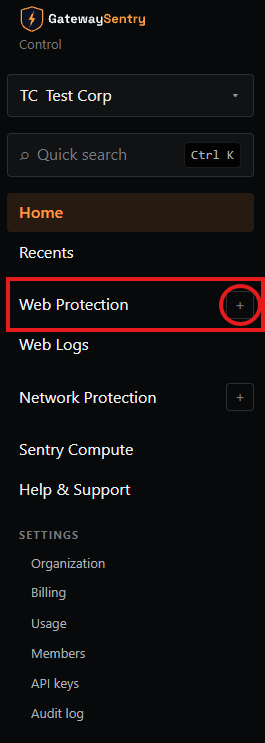
Before adding Web Protection, make sure the correct Organization is selected.
- Look at the top of the sidebar and click the organization dropdown.
- Select the organization that owns the web application you want to protect.
- Once the correct organization is selected, click the "+" button to create a new Web Protection instance.
Previous: ← Adding Web Protection (overview) Next: Step 2 — Enter Your Web Application's Details →