Step 3 — Set Up the Tunnel
Open a shell and run:
Director opens an interactive menu, with the current tunnel status at the top.
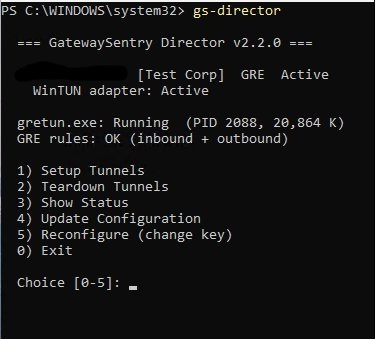
Type 1 and press Enter to choose Setup Tunnels. Director will:
- Clean up any stale tunnel processes from previous runs.
- Establish the GRE tunnel between your origin and GatewaySentry's edge nodes.
- Install inbound and outbound routing rules.
When the tunnel is up, you'll see a confirmation line like:
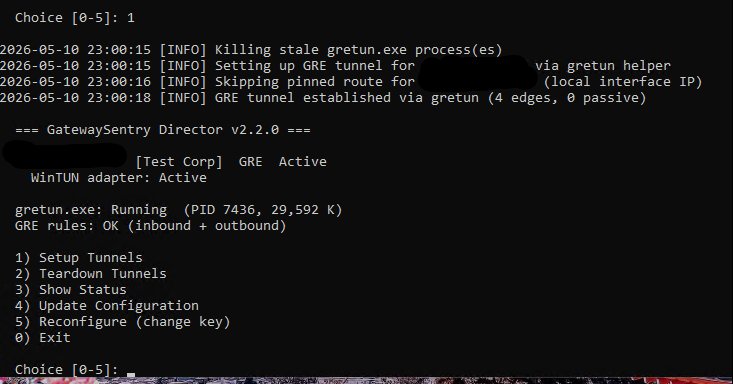
The status panel at the top should now show GRE Active and the helper process running.
Previous: ← Step 2 — Enter Your Customer Key Next: Step 4 — Verify the Tunnel →