Step 1 — Install Director on Your Origin Server
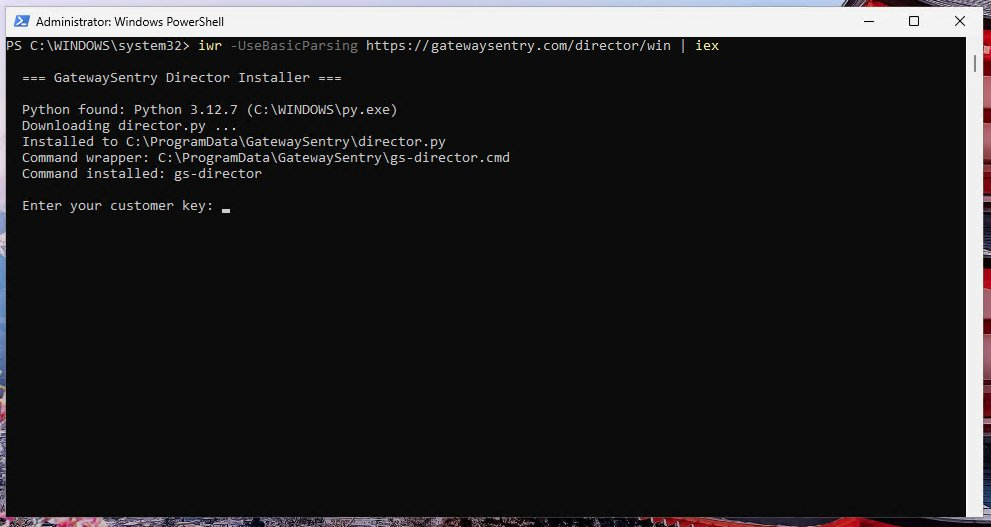
On the server you want to protect, open an Administrator (Windows) or root (Linux) shell and run the installer for your operating system.
The installer will:
- Check that Python 3 is available.
- Download
director.pyto a system location. - Create the
gs-directorcommand, available from any shell. - Register Director to run in the background (a scheduled task on Windows, a service on Linux).
Previous: ← Setting Up Director (overview) Next: Step 2 — Enter Your Customer Key →